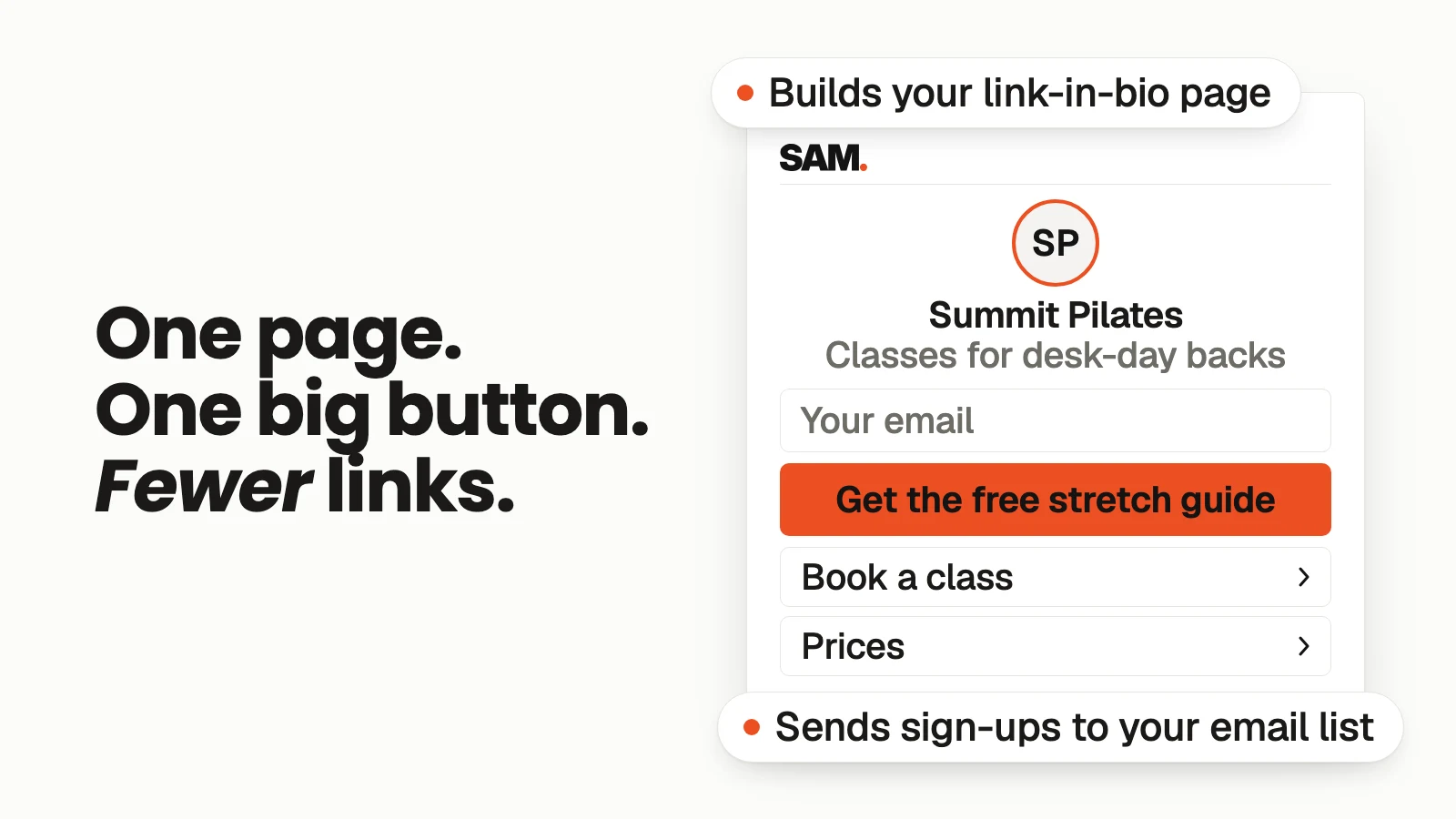
A good link-in-bio page for a small business does one main job: it turns a curious follower into someone you can reach again. Put one clear next step at the top, like a free guide or a booking button, ask for an email address, and keep everything else to two or three links. Then point your bio, your posts and your Stories at that one page.
Most link-in-bio pages look like a junk drawer. Ten buttons, all the same size: the website, the shop, a podcast from last year, a YouTube channel, a coupon that ran out. A follower taps the link, sees a wall of choices, and leaves without doing anything.
That one tap is the most valuable moment you get from social media. Someone liked your post enough to leave the app and see more. The page they land on decides whether you ever hear from them again.
// 01What is a link-in-bio page?
A link-in-bio page is the one web page your social profile points to. Social apps give you only a small spot in your profile for links, so small businesses use it for one simple page that sends people where they need to go.
Here's the difference between the usual version and one that works.
| The junk drawer | The page that gets customers | |
|---|---|---|
| Main goal | Show everything you've ever made | Get one thing: an email, a booking or a sale |
| Number of links | Eight to twelve, all equal | One big button, then two or three small links |
| What you keep | Nothing, once they leave | Their email address, so you can follow up |
| Who it's for | You | The person who just tapped |
// 02Why one page beats a list of links
When someone taps your bio link, they don't know which of your ten links matters. You do. So decide for them.
The big reason is follow-up. A follower can disappear from your feed any day the app changes what it shows. An email address stays with you. If your link-in-bio page asks for an email in exchange for something useful, every curious tap can turn into someone you can talk to next week, not just someone who scrolled past.
If you're new to giving something away for an email, my post on freebie ideas people actually want covers what to give away.
// 03What to put on your link-in-bio page
Keep the order the same every time. Top to bottom:
| Part | What it says | Example (illustrative, a local dog groomer) |
|---|---|---|
| Your name and one line | Who you help and how | "Calm, gentle grooming for nervous dogs in Westfield." |
| The one big button | The single best next step, with a short form | "Get our free first-groom checklist" with an email box |
| Proof | One short, real line from a customer, with permission | A real review you've been given the OK to use |
| Two or three small links | Only what people ask for most | Book an appointment, prices, directions |
| Contact | How to reach you | Phone, email or a "message us" link |
That's it. If a link isn't something people ask you about every week, it doesn't need to be there.
// 04How to set up your link-in-bio page, step by step
Step 1: Pick the one thing you want most
Look at the next 30 days. Do you want more bookings, more people on your email list, or more sales of one product? Pick one. That's your big button.
Step 2: Give people a reason to leave their email
Give away something small and useful that matches what you sell. A checklist, a short guide, a discount on a first visit. Ask for the email right on the page, with one box and one button.
Step 3: Write the top line for a stranger
Assume the person tapping has never heard of you. Say who you help and what you do in one plain sentence. Skip slogans.
Step 4: Cut the extra links
Keep two or three. If you're not sure, check which questions you get in your messages most often and link to those answers.
Step 5: Make sure sign-ups go somewhere
Every email address should land in the email list you already use, tagged so you know it came from social. Then send a short welcome. My welcome email sequence post shows what to send first.
Step 6: Use your own web address if you can
A link like yourbusiness.com/start looks more trustworthy in a bio than a long string of random letters, and it's easier to say out loud.
Step 7: Send people to it on purpose
A bio link only works if people know it's there. Mention it in your captions and Stories when it matters: "The free checklist is at the link in my bio."
// 05Common link-in-bio mistakes
- Too many choices. Ten equal buttons means no clear next step.
- No way to follow up. If nobody can leave an email, every visit is a one-time thing.
- Old links. A sale that ended or a page that's gone tells people you're not paying attention.
- Hard to read on a phone. Most people tapping your bio are on their phone, so check the page there first.
- Sending people to your homepage. Your homepage tries to talk to everyone. Your bio page should talk to the person who just came from your post.
// 06Where SAM fits (built by the founder of SamCart)
SAM is an AI marketing team for small businesses: SAM + 5 AI specialists (Ads, Content, Designer, Promotions and Social). It learns your brand and offer from your website, and your customers and sales from the accounts you connect.
For this job, SAM can build and publish a link-in-bio page for you. Its pages collect sign-ups, tag each person by the page and where they came from, and send them to your email list. A sign-up form can also send a PDF after someone opts in, so your free checklist goes out on its own. You can use the free domain that's included or connect your own. And when SAM posts to Instagram for you, it asks first.
SAM is opening to a limited group right now. If you want to see where your marketing stands first, let SAM score your marketing. It's free.
SAM isn't open to you yet. Let it score your marketing.
Let SAM score my marketing// FAQFAQ
What should a small business put in its link in bio?
One main next step with a way to leave an email, a single line about who you help, and two or three links people ask for most, like booking, prices or directions.
How many links should a link-in-bio page have?
Fewer than you think. One big button for your main goal, plus two or three small links, is plenty for most small businesses.
Should my link in bio go to my website or a separate page?
A separate, simple page usually works better, because it talks only to people coming from social and gives them one clear next step. Link to your website from it if people need it.
Do I need to pay for a link-in-bio tool?
Not always. Many website and email tools let you make a simple page. What matters more is that the page collects emails and sends them to your list.
How often should I update my link-in-bio page?
Whenever your main goal or freebie changes, and at least once a month to remove anything old.
// 07Your one thing this week
Open your own bio link on your phone. Count the buttons. If there are more than four, pick the one that matters most this month, make it the big one, and add a way to leave an email.
Want a quick read on the rest of your marketing? Let SAM score your marketing.